
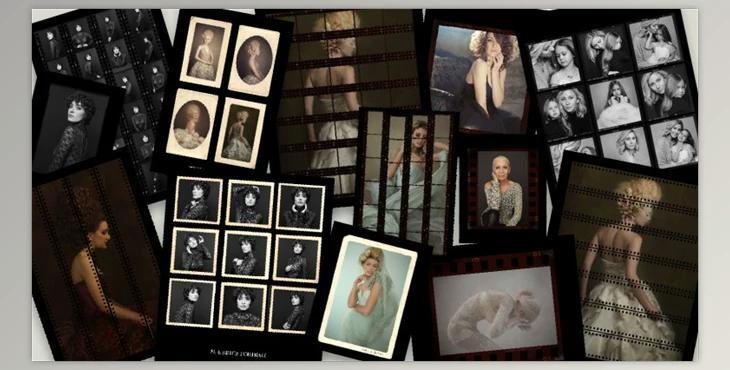
Contact Sheets & Vintage Photo Print Edges: Photorealistic high-resolution mockups for film negatives suitable for film sizes of 35mm, 160mm, and 120mm on black backgrounds. Each film frame is ripped out and comes with an individual layer mask for image positioning. Drag and click or copy and paste your images into the templates, then place them below the frame layer. Then scale down to accommodate. Print them for online or print marketing or as an additional feature to your printed product offerings.
How to copy and paste your images in templates and edit them to negative?
You can use "The Portrait Masters – Contact Sheets & Vintage Photo Print Edges".
Where can I download the product?
After subscription, You can download it for free from here.
The product is in the Photoshop category, for more information about this post you can click on the home page link in the sidebar.
To search for similar products to The Portrait Masters – Contact Sheets & Vintage Photo Print Edges,
PSD file includes:
What is Contact Sheets & Vintage Photo Print Edges
Contact sheets and vintage photo print edges are design elements often used in photography and graphic design to create a nostalgic or retro look.
In digital design and photography editing software like Adobe Photoshop, you can create contact sheets by arranging thumbnail images in a grid format and adding borders or frames to achieve a vintage look. Many design resources and templates are available that include both contact sheet layouts and vintage photo print edges, making it easier to apply these effects to your images.
Whether you want to organize your photos in a contact sheet format or give your images a retro aesthetic with vintage photo print edges, these design elements can be valuable for creating unique and visually appealing compositions.
