
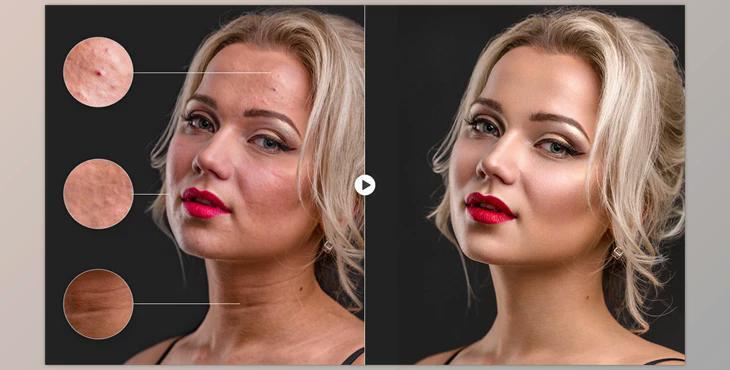
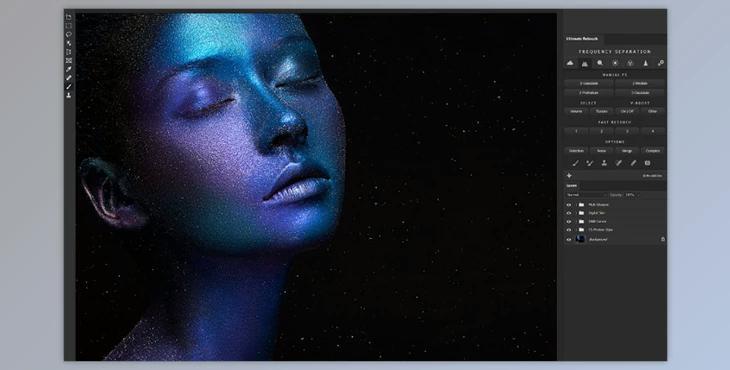
The Ultimate Retouch Panel 3.9.1 for Adobe Photoshop is a comprehensive tool designed for photographers and retouchers, compatible with Photoshop CC2017 to CC2022+. With over 200 functions consolidated into one panel, it offers a range of retouching options, including manual and fast methods across various categories.
How to edit images using the HDR simulation tool, adjust skin tone, and reduce noise in Photoshop?
You can use the "Ultimate Retouch Panel" to edit your pictures beautifully.
The product is in the Photoshop category, for more information about this post you can click on the home page link in the sidebar.
To search for similar products to Ultimate Retouch Panel 3.9.1 for Adobe Photoshop,
"Ultimate Retouch Panel" Samples:
Features include 7 unique retouching blocks, customizable buttons, frequency separation, color correction presets, dodge and burn techniques, and more.
The panel also provides 30 tools for local retouching, HDR simulation, skin tone adjustment, noise reduction, and sharpening effects. Additionally, it offers tutorials with instructional videos and a detailed PDF guide for assistance, supported on both Windows and Mac systems.
