
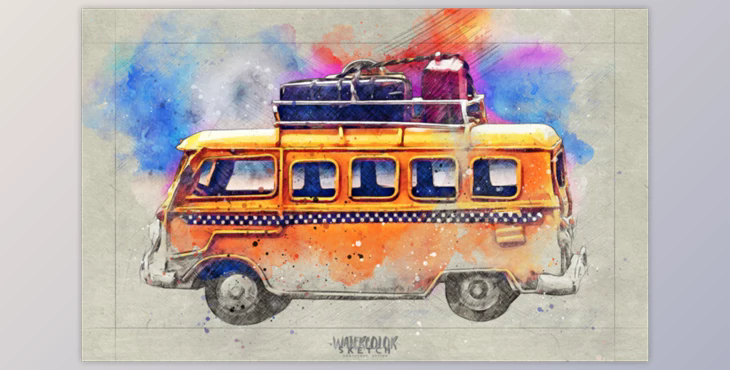
Watercolor Sketch Photoshop Action By IndWorks: Watercolor Sketch Photoshop Action was created by combining traditional watercolor and sketching techniques. It will elevate your Photoshop watercolor sketches to new heights. This script has been carefully designed to provide a better user experience. It can be run on any image and it will take care of the rest. All you need is Photoshop CS5 or higher and no other advanced skills. Anyone can be an artist now!
This effect is best for portraits, figures and still life. This action can be used in any language of Photoshop.
You can customize the elements created by the action after it is finished. There are many options to modify the sketching and watercolor elements created - different layers of hatching, layers of precise and sketch line lines, background filler sketches and marking lines, and wet brush strokes. You can also adjust watercolor soak and blur, watecrolor droplets and drops, and much more.
Even more fun? You generate all elements at random. Every time you run the action you'll get a different result than the one before. You can also sell the final product of the effect. This means that, although the action is not permitted to be modified or sold, you can still sell the effects created by the image.
You can combine different styles to create your very own masterpiece. The video guide will show you how to load the action and modify the effects.
Tested and guaranteed This action was tested on Photoshop CS5, Photoshop CS6, Photoshop CC 2015 and CC 2015.5, as well as CC 2014, Photoshop CC 2015 and CC 2015.5, CC 2017.5, CC 2017, and CC 2018. CC 2018, CC 2019, and CC 2020. CC 2021 + Tested using more than 50 images to verify the action's integrity.
Recommended size Images with sizes between 2000px and 6000px (longer side) and 72/300 DPI resolution are best for this action. Lower resolution images will lead to less detail and clarity in the final composition.
You can change the dimensions of a lower resolution image by going to "Image"-> "Image Size..." After applying the effect, you can always resize it to your original dimensions.
This action can be used with any language in Photoshop.
Package:
