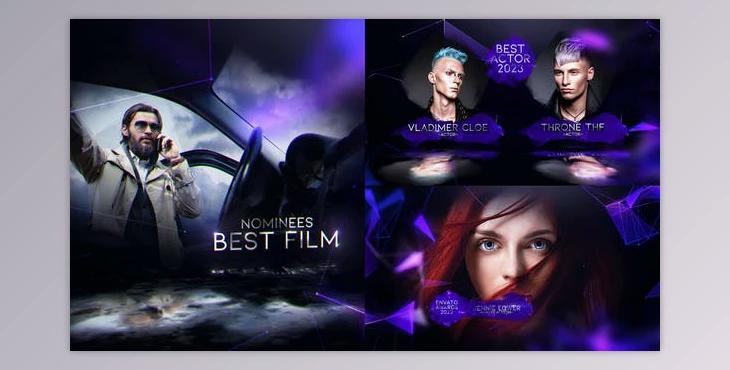
Modern Awards (Videohive 39050035) - AE Project:
How to use visual effects and digital content to produce your project?
You can use "Modern Awards".
Where can I download the product?
After subscription, You can download it for free from here.
Included Files:
- Opening | Duration 01:18
- Bumper | Duration 00:05
- Best Nominees| Duration 00:15
- Best Actor | Duration 00:15
- Best Actress | Duration 00:15
- Two Screen | Duration 00:15
- Four Screen | Duration 00:15
- Video Screen | Duration 00:15
- Lower Third_1 | Duration 00:15
- Lower Third_2 | Duration 00:15
- Text Info | Duration 00:15
- Final Credits | Duration 01:20
- Preview | Duration 02:50
- NO PLUGINS
- Color Control
- Modular structure
- Fast Render
- Easy to customize
- Resolution Full HD (1080p)
EDIT TEXT
- 1. Go to the "Insert_Text" folder and open
- 2. Double-click on the "Text_1" composition
- 3. Double-click on the text layer and write your text
Edit Text from Segment
- 1. Go to the "Main_Comp" folder in the "Opening" folder and open
- 2. Double-click on "Opening" composition
- 3. Double click on "Segment_1" composition and open
- 4. Select the "Insert_Text_1" guide layer and double click
- 5. Double-click on the text layer and write your text
REPLACE LOGO
- 1. Go to the "Insert_Logo" folder in the "Opening" folder and open
- 2. Double-click on the "Insert_Logo" composition
- 3. press (Control+i ) to import a logo and select a logo
- 4. Drag the logo and drop the logo to the "Insert_Logo" composition and delete the Envato logo
- 5. Select Logo and press the "S" key to adjust the scale for the composition
- 6. Change scale value
REPLACE VIDEO or IMAGE
- 1. Go to the "Insert_Video" or "Insert_Image" folder and open
- 2. Double click on "Image_Placeholder_1" composition
- 3. press (Control+i ) to import a video or image and select the video
- 4. Drag and drop the video or image to the "Image_Placeholder_1" composition
- 5. Select a video or image and press the "S" key to adjust the scale for the composition and guide the Layer
- 6. Change scale value
What is Modern Awards?
The "Modern Awards AE Project" is a creative endeavor crafted within Adobe After Effects (AE), focusing on contemporary design elements. It draws inspiration from the concept of Modern Awards in Australia or showcases current visual styles. In this context, "AE Project" signifies its creation through Adobe After Effects, renowned for crafting dynamic motion graphics, visual effects, and various digital content like animations and promotional videos.