
登录

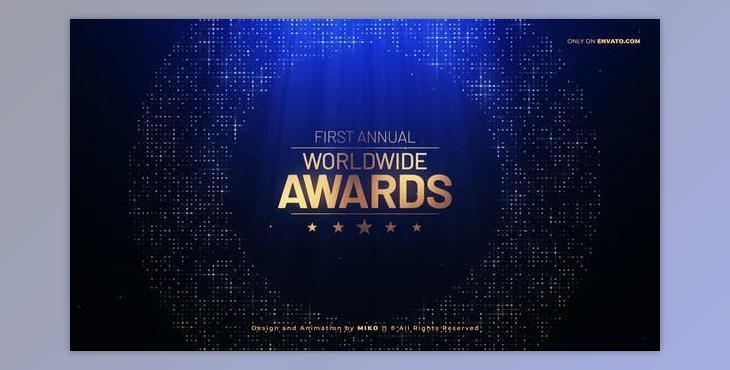
Awards Pack (Videohive 34003220) - AE Project


本站所有资源来源于网络,均不支持商用,仅供个人学习与研究。 Awards Pack (Videohive 34003220) - AE Project

Awards Pack (Videohive 34003220) - AE Project: Awards Show is a unique professional collection pack designed for After Effects with a modular structure. It can be utilized for creating videos for Your event, wedding, party, Awards, and other events. It is simple to edit. It could also be used to promote announcements, teasers, nominations, films festivals, corporate events, intros, Oscar, Grammy, music and TV awards ceremonies, modern videography project music events, night party Christmas celebrations, promo videos, fashion shows, the opening of an event portfolio, demo reel wedding stories, unique event fashion/photography slideshow and more. The video tutorial is complete, which will help beginners easily understand how to edit this project—a must-have project for motion designers, wedding videographers, and photographers. I hope you will enjoy this project. The information about fonts is available and included in this help document. If you have any queries or issues with the project, email me, and I will assist you!

Project Contains:

  • Opener 1:03 / 12 Placeholders
  • Bumper 0:05
  • Slideshow 3:25 / 30 Placeholders
  • Lower Thirds 0:08 in out (3 versions left, center, and left)
  • Eight screens 0:30/8 Placeholders
  • Seven screens 0:30 / 7 Placeholders
  • Six screens, 0:30 / Placeholders
  • Five screens at 0:30 and 5 Placeholders
  • Four screens 0:30/4 Placeholders
  • Three screens at 0:30 and 3 Placeholders
  • Two screens 0:30/ 2 Placeholders
  • The screen of the winner 0:30/1 Placeholders
  • Backgrounds (3 versions) Loop 0:20
  • Widescreen Window Loop 0:20
  • Closing Credits 0:25
  • No Plugin is required. All of the work is performed using After Effects ONLY
  • Resolution FullHD 1920x1080
  • Simple editing
  • Change colors
  • VideoTutorial is included
  • Very well organized project
  • Modular structure
  • Edit or remove compositions, modify the frame rate, timings, camera movements, colors, etc.
  • Use photos or videos.