
登录

Vector Pop Art Photoshop Action By Studio Retouch


本站所有资源来源于网络,均不支持商用,仅供个人学习与研究。 Vector Pop Art Photoshop Action By Studio Retouch

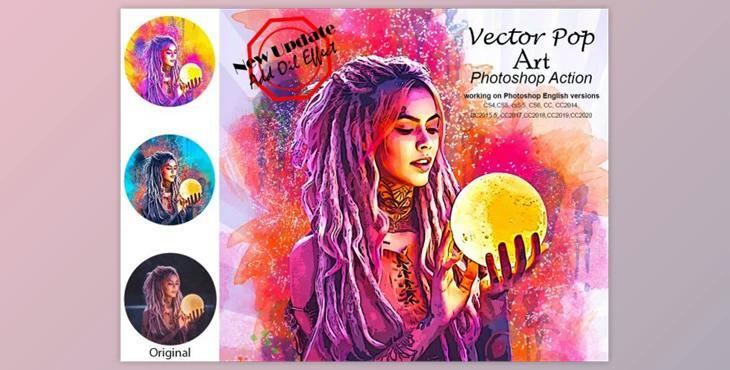
This action transforms your photos into vector pop art. This professional pack will transform ordinary photos into amazing images. It is easy to use and has a non-destructive effect.

This action will give you 10 color options and 3 patterns.

This action has been updated to add an oil effect.

My Working Software Version: CC2020 English Version. Software supported versions: CS4, CS5, CS5.5 and CS6, CC2014.5, CC2015.5, CC2017.5, CC2018.3, CC2019.2, CC2020+ English Version.

Most important instruction:

  • Open Photoshop first. For best results, expand the area around your photo. Choose your background image, then use the tools bar to crop it. Then expand each side. You will now need to resize the image. To resize your image, use crop tools. In the top menu bar, you will see W xH x Reso three blank boxes. Enter W 2000px and H 2000px. Next, press the enter button.
  • Open your photo. Create a new layer and rename it "brush". Keep the selection "brush", close "brush" layer eye, and click "action play".

File includes:

  • 2 ATN File
  • Add oil effect
  • Brush File
  • Pattern File
  • Help File
  • PDF Help File
  • Every photo should be taken.
  • High-quality results

Not included: Mockup and preview images

Images recommended : I use images 2000x2000px at dpi 72

安全无病毒