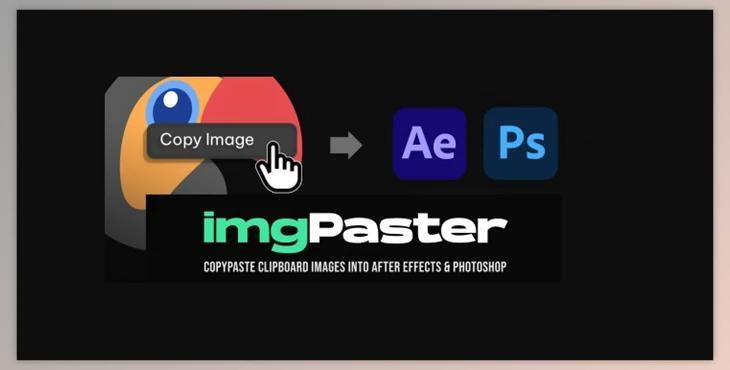
Aescript imgPaster V1.0: Introducing our revolutionary extension for seamless image importing, designed to eliminate the hassle of saving, dragging, and dropping images into your projects. With a focus on efficiency and flexibility, our imgPasterAE extension is a game-changer for your workflow.
Effortless Clipboard Integration:
- Say goodbye to tedious processes. Simply copy an image while browsing the web, open our extension, and use Ctrl+V for instant project integration.
Transparent PNG Support in Photoshop:
- No more frustration with unsupported clipboard actions. Our extension enables Ctrl+V for transparent PNGs in Photoshop, ensuring a smooth and frustration-free experience.
Flexible Saving Options:
- Tailor the extension to your preferences. Choose where to save your images—whether it's your desktop, documents, the project file location, or a custom path.
Supported Formats:
- Enjoy compatibility with a variety of image formats, including PNG + ALPHA (Transparency), PNG, JPG, WEBP, JFIF, BASE64, AVIF, and GIF (First frame).
Unsupported Formats:
- While imgPasterAE supports various formats, please note that GIF (ANIMATION), SVG, EPS, Ai, CDR, TIFF, PDF, BMP, and RAW are currently not supported.
Setup:
- Installing imgPasterAE is a breeze. Use the aescripts + aeplugins manager or the zxp installer. In After Effects, ensure 'Allow Scripts to Write Files and Access Network' is enabled in Edit > Preferences > Scripting and Expressions.
Usage:
Follow these simple steps to integrate images seamlessly into your project:
- Create a new composition.
- Go to Window > Extensions > imgPasterAE.
- Select the Timeline panel if you want to paste the image onto it.
- Copy your image to the clipboard from a web browser or other applications.
- Click on the extension window area, ensuring it is highlighted. Hold Ctrl + V (⌘ + V on MAC).
- Your image will be generated and imported into the project, automatically placed on the timeline.
Settings:
- Customize your experience with flexible settings. Choose to save the generated image file on the desktop, in the documents folder, alongside the open project file, or at a custom path.
Extension Shortcut:
- For faster access, create a keyboard shortcut. Navigate to Edit > Keyboard Shortcuts, find imgPaster, click on the area under the Shortcut column, and press keys to add a new shortcut.
Version and Compatibility:
- imgPasterAE is made using CEP8 and requires After Effects CC 2018 or later (version 15+). Please note that Apple Silicon Machines must run Photoshop under Rosetta Mode.
Upgrade your workflow with imgPasterAE and experience a new level of convenience in image importing.