
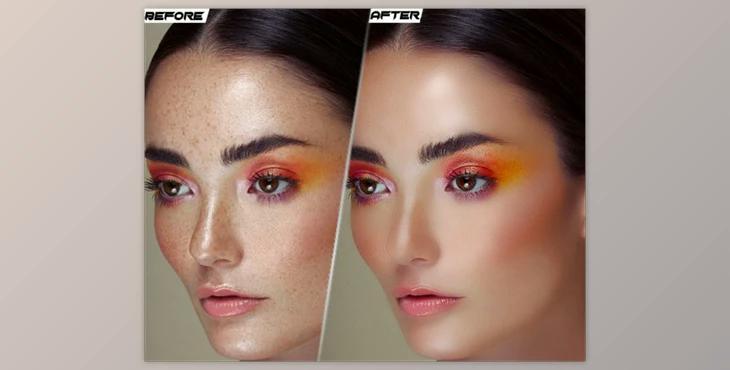
How to give a beautiful effect to your photo?
You can have professional skin retouching through Photoshop action.
Where can I download the product?
After subscription, You can download it for free from here.
Documents contained:
What is Professional Skin Retouching Photoshop?
Professional skin retouching in Photoshop refers to the process of enhancing and improving the appearance of a subject's skin in a photograph while maintaining a natural and realistic look. This technique is commonly used in portrait and beauty photography to create polished and flawless images.
It's essential to approach skin retouching with care and restraint to avoid creating an unnatural or plastic-like appearance. The goal is to enhance the subject's appearance while preserving their unique features and maintaining a realistic look.
Professional skin retouching is a skill that requires practice and an understanding of Photoshop's various tools and techniques. Many photographers and retouchers develop their own workflows and styles for achieving professional results. Additionally, there are Photoshop actions, presets, and plugins available that can help streamline the retouching process while maintaining high-quality results.
