
登录

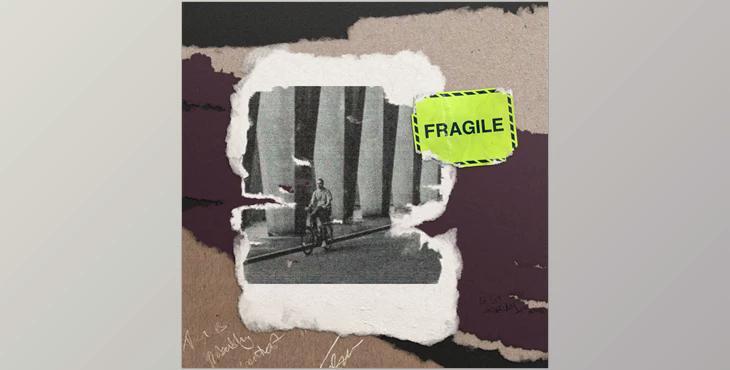
Studio Innate – Torn paper Photoshop Brushes


Studio Innate – Torn paper Photoshop Brushes

Paper was designed for tear-free, not cut. Take a swath of these Photoshop brushes that are a beast.

Gfx plugin details of Studio Innate – Torn paper Photoshop Brushes

The product is in the Photoshop category, for more information about this post you can click on the home page link in the sidebar.
To search for similar products to Studio Innate – Torn paper Photoshop Brushes, 

  • 14 realistic Photoshop Brushes broken down into 3 categories
  • 8 Standard Tears
  • 3 Square-ish
  • 3 Weird
  • 3 4K seamless textures
  • Installation guide

Which should look like this...
Then click on this button to bring up a menu and  select ‘Import Brushes’ There you can navigate to  where the .abr file is and click Open.
Alternatively you can go under Edit > Presets > Preset Manager, select Brushes from the dropdown menu, and then add your brushes using the “Load”  button. Each method will have the same effect and put a folder of brushes in your preset library in which you’ll find all of the brushes to play with and get creative. 

Settings

  • With any Photoshop brush, you can change the settings to tweak the scale of the patterns or even the way that a tablet's pen pressure affects the brush.
  • Navigate to the brush settings panel by looking for this icon in the side panel, or by going to Window > Brush Settings.
  • There you will be greeted by this dialogue box, in which you can change all sorts of settings, the most commonly used for pattern brushes is 
    the scale.
  • (Handy Tip: Keep the scale as a division of 100, so like 25, 50, and 100 to avoid any pixelated results.)

安全无病毒