
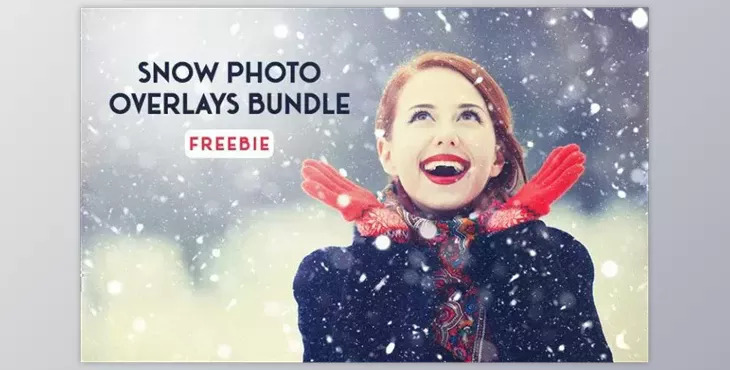
Snow Photo Overlays Bundle for Photoshop: As winter draws near, we have a special treat for you – introducing a fantastic collection of free snow overlays to enhance your seasonal designs.
How to use the snow cover Photoshop effect to edit your images?
You can use "Snow Photo Overlays Bundle for Photoshop" to edit your images.
Where can I download the product?
After subscription, You can download it for free from here.
This easy-to-use snow overlay Photoshop effect allows you to elevate your winter images' natural and captivating feel.
Enjoy this gift of over 160 realistic falling snow photo overlays from Eldamar Studio. There is no need to wait for the perfect moment to capture natural snowfall in your photos. With our free snow overlay, effortlessly add authentic snowflakes to your images.
But wait, there's more good news! This bundle comes with an extended commercial license, granting you the freedom to use these overlays repeatedly to create stunning designs for both personal and client projects.
Winter provides the perfect backdrop for enchanting and romantic photo sessions. Seize the opportunity and make the most of this season with our snow photo overlay freebie.
Included in this Bundle:
Software Requirements: These overlays are compatible with Adobe Photoshop, Adobe Elements, Corel PaintShopPro, or free programs like Gimp, Pixlr, Paint.net, Seashore, SumoPaint, Krita, CinePaint, Serif PhotoPlus, PaintShop Pro, and Pixelmator.
Highlights for these 160+ Snow Overlays:
What isSnow Photo Overlays Bundle for Photoshop?
A bundle of Photoshop Snow Photo Overlays is specifically crafted for use in Adobe Photoshop, aiming to enhance photographs with wintry aesthetics. These overlays encompass a range of snow textures, elements, and effects that can be seamlessly applied to images, instantly creating a snowy or winter-themed atmosphere. This bundle is highly sought after by individuals looking to elevate their photos with a seasonal touch, making it particularly well-suited for winter-themed or holiday photography.
Within the bundle, users can find diverse elements such as snowfall patterns, snowflakes, frost, and other winter features, all designed to blend seamlessly into the existing image. Users enjoy the flexibility to customize the appearance by adjusting settings like opacity, blend modes, and more, allowing them to achieve their desired look and feel.
Photographers, designers, and those aiming to infuse a seasonal or festive ambiance into their images frequently turn to these bundles. They provide a convenient solution for adding a snowy touch without the necessity of actual snowfall during the original photo shoot. These bundles are readily accessible on online marketplaces or creative platforms and are typically designed for smooth integration with Adobe Photoshop during the editing process.
